Fortnite APK v42.00.0-56878558-Android: Battle Royale and Zero Build
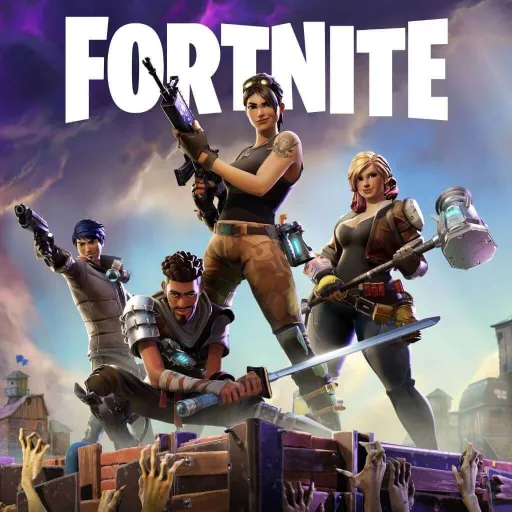
Fortnite APK brings Epic Games’ large-scale third-person shooter to Android, combining Battle Royale matches with Zero Build, Blitz Royale, Fortnite OG, LEGO Fortnite, Fortnite Festival and other multiplayer experiences. This is a normal Fortnite Android build, not a MOD APK, so the main appeal is its online combat, changing seasonal content and broad selection of game modes.
Game information
Gallery
Fortnite APK for Android: What the Game Is
Fortnite is an action game by Epic Games, Inc. that Google Play classifies under the Shooter and Tactical shooter labels. Its central experience is a fast-paced third-person PvP shooter, but the Android app has grown into a wider collection of multiplayer and competitive experiences rather than a single battle royale queue.
After choosing an experience, players enter a match or activity, manage equipment, move through the environment and either fight opponents or cooperate with other players, depending on the selected mode. Fortnite APK refers here to the standard Android build associated with Fortnite, not a modified version with unlimited currency, unlocked content, no ads or other added features.
How Fortnite Battle Royale Matches Work
In standard Battle Royale, the main objective is to survive longer than the other players and be the last player standing. A match takes place on the Island, where players explore, collect or use equipment, position themselves and engage opponents as the game progresses.
The Storm is an important part of the match loop. As it closes in, players must keep moving and avoid taking damage from the shrinking danger area while deciding when to search for equipment, relocate or fight. This makes movement and positioning as important as simply finding weapons. The mode is built around online PvP, so Fortnite should be approached as an online multiplayer game rather than a fully offline title.
Team play is also part of Fortnite’s wider structure. Depending on the mode, players can take part alone or with other participants, creating a choice between individual survival and coordinated multiplayer play.
Zero Build: Fortnite Without Construction
Zero Build removes construction from the match and gives Fortnite a different tactical focus. Instead of collecting materials and creating defensive structures, players rely on natural cover, movement, Overshields and their chosen loadout.
This changes how players approach open areas and encounters. Natural objects and terrain become important sources of protection, while mantling and hurdling provide movement options for navigating the environment. Loadout management also matters because players must make decisions about the equipment they carry without using built structures as an additional defensive tool.
Zero Build supports solo play as well as team formats including duos, trios and four-person squads. That makes it suitable for players who want the core Fortnite combat loop without the construction system, while still retaining the movement and equipment decisions associated with the wider game.
Modes and Experiences in the Android App
Fortnite on Android includes several named experiences:
- Battle Royale: the third-person PvP survival mode centered on becoming the last player standing.
- Zero Build: a version of the battle royale format without construction, using natural cover, Overshields and movement.
- Blitz Royale: an additional Fortnite multiplayer experience.
- Fortnite OG: another distinct experience included in the app.
- LEGO Fortnite: a separate LEGO-themed Fortnite experience.
- Fortnite Festival: a music-focused mode using Jam Tracks and Music Pass content.
The product also includes developer-made games, competitive games and other multiplayer experiences. Their rules and objectives can differ, so the app is better understood as a platform containing multiple ways to play Fortnite rather than as one fixed match type.
Current Seasonal Content: Chapter 7 Season 4 Override
Epic’s Fortnite news coverage describes Chapter 7 Season 4: Override as a season built around changing match rules and new interactive systems. Override Consoles can introduce server-wide rule changes, while Squad Overrides add another team-oriented layer to the seasonal gameplay. The season also features new weapons or crossover items.
Sprites receive a new generation in this season, alongside a Sprite Garden mode. Sprite Dust is used for Loot Hacks, which can customize the possible contents of Chests. These systems give seasonal matches additional decisions beyond simply searching for equipment and moving toward the safe area.
The season’s Battle Pass includes Sonic the Hedgehog as its headline character and the Tails Sidekick. Fortnite is a live-service game, so seasonal characters, mechanics and special activities can change over time. Seasonal coverage should therefore be treated as time-sensitive rather than as a permanent description of every future match.
Battle Pass Progression and Cosmetic Rewards
Fortnite provides seasonal Battle Pass progression supported by quests, XP and cosmetic rewards. Completing quests contributes to progression, while documented reward types include Outfits, Pickaxes and Gliders.
Cosmetic customization also extends to the in-game Shop, which contains items such as Outfits, Back Bling and Emotes. These systems give players goals beyond surviving individual matches: they can work through seasonal objectives, earn XP and customize the appearance of their Fortnite experience.
Multiplayer, Accounts and Mobile Controls
Fortnite’s Android version is designed around online PvP, multiplayer activities and competitive play. In Zero Build, the documented formats range from solo matches to duos, trios and four-person squads. Other experiences may use their own structures, so those team formats should not be assumed to apply identically everywhere in the app.
Epic’s account support documentation shows that mobile players can log out and sign in to a different Epic account from within Fortnite. This is useful for people who need to change the account connected to their Android session.
Controller users can choose from mobile controller presets including Old School, Quick Builder, Combat Pro and Builder Pro, as well as a Custom option. Epic also documents an issue affecting the ability to customize controller key bindings on mobile devices. As a result, controller support is available, but custom binding behavior may not work as expected in every situation.
Fortnite Android Compatibility and Installation Considerations
For practical compatibility, Epic’s current Android guidance is more demanding than a basic Android version label. It specifies a 64-bit Android device with an ARM64 processor, Android 10.0 or later, at least 4 GB of RAM and a qualifying GPU. Supported GPU guidance includes Adreno 530 or higher, Mali-G71 MP20 or Mali-G72 MP12 or higher, or higher models in those ranges.
The page details show Android 8.0 and up, but Epic’s narrower current guidance should be used when deciding whether a phone is suitable. An Android 8.0 device should not be treated as automatically compatible simply because that version appears in the page information.
Epic supports installing Fortnite on Android through Google Play or the Epic Games Store app. Installation through the Epic Games Store may require Android permission for installing apps from that source in Settings. If Android presents that prompt, the permission applies to the browser or app being used to obtain the installer and can be managed through Android’s app-install settings.
One matching third-party package listing describes its distribution as an XAPK and reports ARM64-v8a support. That format should not automatically be assumed for every file labeled Fortnite APK, however. Follow the format and installation behavior shown by the particular download provided on the page rather than assuming that a separate data package or special folder is required.
Fortnite Android Troubleshooting
Fortnite does not appear as installable
Epic says an unsupported device, or a device below the minimum hardware requirements, may not show Fortnite as installable in Google Play. Check the Android version, 64-bit ARM64 support, RAM and GPU requirements before treating the missing install option as an app error.
“Something Went Wrong” or “Invalid Client” during login
Epic documents these Android login errors when an unofficial or outdated Epic Games Store app is being used. Its recommended remedy is to reinstall the Epic Games Store app from Epic’s official website, then try the login process again.
“An error occurred while initializing” appears at launch
For the message “An error occurred while initializing. Please try again later,” Epic provides a troubleshooting path that includes reinstalling Fortnite and/or the Epic Games Store app. Use the documented reinstall route instead of adding unsupported files or changing unrelated Android security settings.
Controller key bindings cannot be customized
Epic acknowledges a mobile issue affecting controller key-binding customization. If a Custom controller layout does not behave as expected, the problem may relate to this documented mobile limitation rather than to the phone’s general controller connection.
Fortnite Android FAQ
Is Fortnite APK for Android an online game?
Yes, the documented Fortnite experience centers on online PvP, multiplayer and competitive activities. The game should not be presented as fully playable offline.
What is the difference between Battle Royale and Zero Build?
Battle Royale uses Fortnite’s broader combat format, while Zero Build removes construction. In Zero Build, players depend on natural cover, Overshields, mantling, hurdling and loadout decisions instead of building structures.
What modes are included in Fortnite on Android?
The app includes Battle Royale, Zero Build, Blitz Royale, Fortnite OG, LEGO Fortnite and Fortnite Festival, along with developer-made, competitive and other multiplayer games.
What Android hardware does Fortnite currently require?
Epic’s current guidance calls for 64-bit Android on ARM64, Android 10.0 or later, at least 4 GB of RAM and a qualifying Adreno or Mali GPU. These requirements are more useful for compatibility decisions than the broader Android 8.0 label shown in the page details.
Can Android players use a controller?
Yes. Fortnite includes controller presets such as Old School, Quick Builder, Combat Pro and Builder Pro, plus a Custom option. Epic separately documents a mobile issue involving custom controller key bindings.
Is this Fortnite APK a MOD APK?
No. This page concerns a normal Fortnite Android build. No MOD feature is supplied for it, so it should not be described as having unlocked content, unlimited currency or other modifications.
More in Shooter
PUBG Mobile MOD APK

PUBG Mobile Lite APK
PUBG MOBILE KR APK
Sniper 3D MOD APK
Gangstar Vegas MOD APK

War Drone MOD APK

Brawl Stars MOD APK

Valorant Mobile APK
Free Fire MOD APK

Free Fire Advance Server APK
Mini Militia MOD APK